7 must-have tools for your terminal

I'm a software engineer from India with a passion for content creation. I love discussing topics like productivity, new technologies and frameworks, and SaaS. Follow me on my journey!
If you're a developer, chances are you spend a lot of time working in the terminal. While it's a powerful tool in its own right, there are several utilities and tools that can help you work more efficiently and effectively. Here are some essential tools that you should consider adding to your terminal setup:
Vim: Vim is a text editor that is widely used by developers due to its speed, flexibility, and ability to handle large files. It has a steep learning curve, but once you get the hang of it, it can be a powerful tool for editing code, config files, and more

.
jq: Jq is a command-line JSON processor that allows you to parse and filter JSON data. If you work with APIs or data formats that use JSON, jq can be a valuable tool for quickly extracting and manipulating the information you need.
Autojump: Autojump is a command-line utility that helps you navigate your file system more efficiently. It allows you to jump directly to frequently used directories by typing a short alias, rather than having to type out the full path. Usage :
j foowill jump to a directory that containsfooTig: Tig is a text-mode interface for Git, which is a version control system used by developers to track changes to their code. Tig provides a more user-friendly interface for viewing and interacting with Git repositories, making it easier to collaborate and manage your code.

ZSH: ZSH is an alternative to the traditional Bash shell, and it offers a number of improvements and additional features. If you're looking to customize your terminal experience, ZSH is worth exploring.
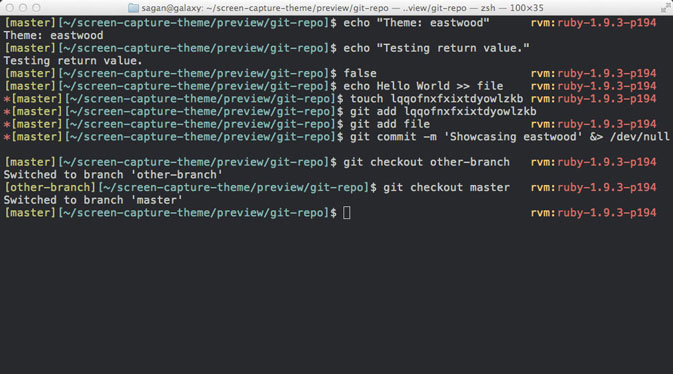
One popular tool that can enhance your ZSH experience is "oh-my-zsh," which is a community-driven framework for managing your ZSH configuration. It comes with a number of plugins and themes that can customize your terminal prompt, provide additional functionality, and make your terminal experience more enjoyable. Some examples of plugins that you can use with oh-my-zsh include Git, AWS, Kubernetes, Themes
Tmux: Tmux is a terminal multiplexer, which means it allows you to split your terminal window into multiple panes and run multiple programs at the same time. This can be really useful if you need to work on multiple projects or tasks simultaneously, or if you want to keep certain programs running in the background while you work on others.
Ag: Ag, also known as the "silver searcher," is a fast and powerful tool for searching through code and text files. If you need to find a particular piece of information or code, ag can help you locate it quickly and easily.

These are just a few examples of the many tools that can enhance your terminal experience. With the right tools at your disposal, you'll be able to work faster and more efficiently, and get more done in less time. If you have any favourite terminal tools that you think everyone should know about, let us know in the comments below! And don't forget to follow me on my social media accounts for more tips and tricks for developers.


